
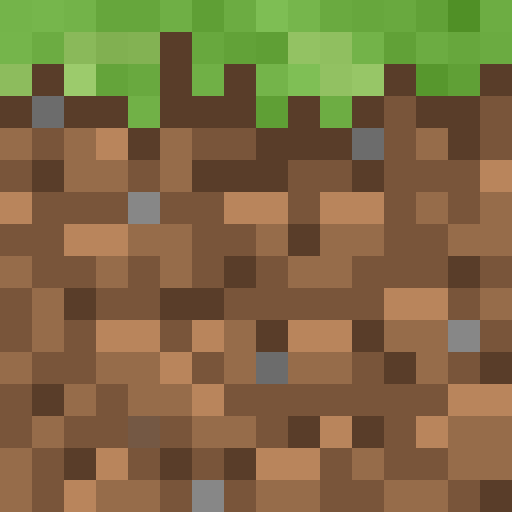
Grass Block (side) icon PNG
The Grass Block (side) icon exactly as it appears in Minecraft 26.3, as a transparent PNG. The original texture is 16×16 pixels, and here you can scale it up without it going blurry.
 See every Minecraft icon
Sizes and quality
The Grass Block (side) texture is 16×16 pixels in game. Here it scales by multiplying each pixel by a whole number, so at 1024 px every pixel is a perfect square and the edges stay sharp. No interpolation smudging the pixel art.
Every icon in the game
This page is just one of them. The full tool has over 2,000 icons (items, blocks, effects and paintings), search in English and Spanish, and a tiled background generator up to 8K.
Open in the icon editorGrass block in Minecraft: how it spreads and what it does
The grass block covers almost the whole Overworld surface and has become the symbol of Minecraft: the Java and Bedrock app icons are based on it. Mined without Silk Touch it drops dirt. Endermen can also pick it up and drop it when they die.
Grass spreads to nearby dirt on its own, under conditions. The dirt must sit within a 3×5×3 range of the grass, the grass needs light level 9 or more above it, and the dirt cannot have water, lava or an opaque block on top. Coarse dirt and rooted dirt are never covered. Cover a grass block with something opaque and after a while it turns back into dirt.
It has plenty of uses. Bone meal grows grass and flowers on it; a hoe turns it into farmland; a shovel makes a dirt path. Sheep eat it to regrow their wool, and passive mobs tend to wander towards it.
Its colour depends on the biome it sits in, wherever you brought it from: greener in jungles, duller in cold or dry areas.
Sources: minecraft.wiki/Grass Block
How to get Grass Block (side)
Mined with a shovel. Mining it drops Dirt.
Recipe and drops taken from the Minecraft 26.3 data pack.
Other icons people look for
Minecraft 26.3 textures. Minecraft is a trademark of Mojang Studios; CreativeStar is not affiliated with it and the textures are theirs.