
Minecraft Conduit PNG
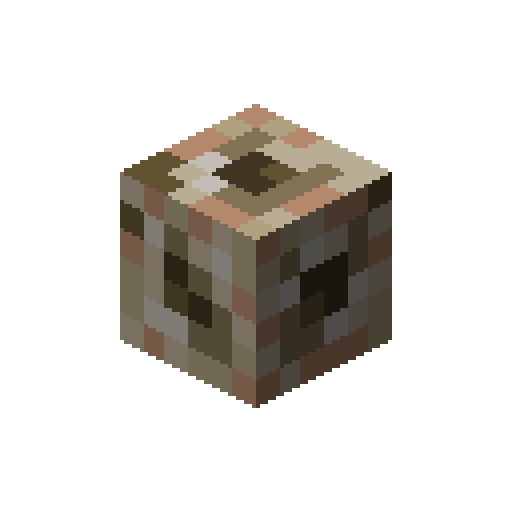
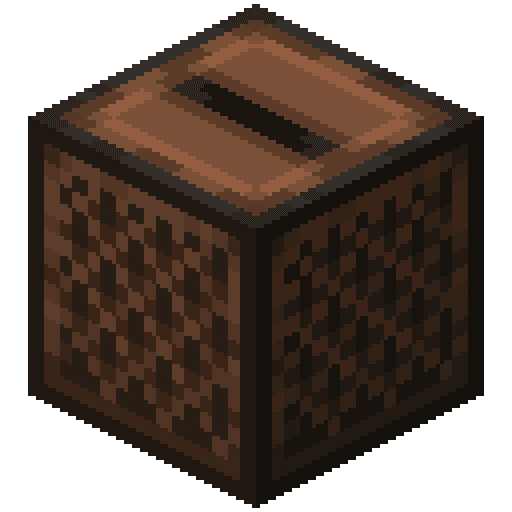
The Conduit exactly as it looks in the Minecraft 26.3 inventory, as a transparent PNG. It is the render of the item itself, not a loose texture: what you see in your hand and in chests. In the creative inventory it sits in the “Functional” tab.
 See every Minecraft icon
Sizes and quality
The Conduit render is 128 × 128 pixels, the size the game draws the item at in the inventory. It scales up by whole numbers to 1024 px with no interpolation, so the edges stay sharp.
Open in the icon editor
In the full tool you can add a shadow or shine, animate it as a video or use it for a tiled background, alongside the game’s 1,700+ items.
Open in the icon editorConduit in Minecraft: how to activate it and its range
The conduit is the underwater counterpart of the beacon. Once active it gives Conduit Power to players touching water or rain, which bundles the benefits of Water Breathing, Night Vision and Haste, though it does not stack with them. It works in any biome and at any depth.
To activate it, it must sit at the centre of a 3×3×3 cube of water, surrounded by a frame. The frame is made of three hollow 5×5 squares centred on it, one around each axis, and only prismarine, dark prismarine, prismarine bricks and sea lanterns count. Prismarine slabs, stairs and walls do not.
Sixteen blocks are enough to switch it on, with a range of 32 blocks. Every 7 extra blocks add 16 to the radius, reaching 96 with the full 42-block frame. Once the frame is complete it also attacks monsters in water or rain within 8 blocks, such as drowned and guardians, dealing 4 health every 2 seconds, one target at a time.
It gives light level 15 whether active or not, even on land, so it doubles as a lamp. Any tool or your hand collects it, a pickaxe being fastest, and explosions always drop it. Watch out for creakings: the conduit targets them but cannot hurt them, and meanwhile it attacks nothing else.
Sources: minecraft.wiki/Conduit
How to get Conduit
Crafted on the crafting table in this shape:
Mined with a pickaxe.
Recipe and drops taken from the Minecraft 26.3 data pack.
Other icons people look for


Minecraft 26.3 textures. Minecraft is a trademark of Mojang Studios; CreativeStar is not affiliated with it and the textures are theirs.