
Minecraft Smithing Table PNG
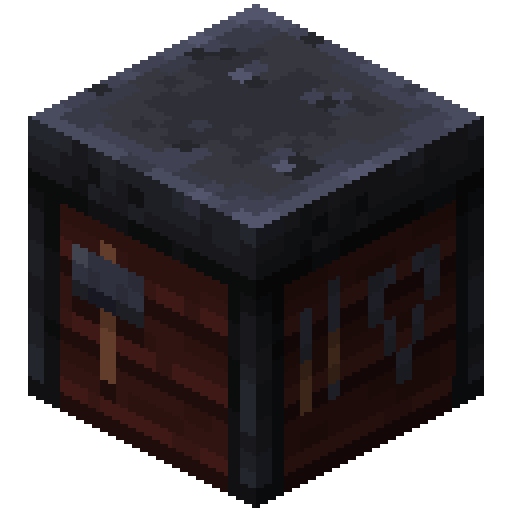
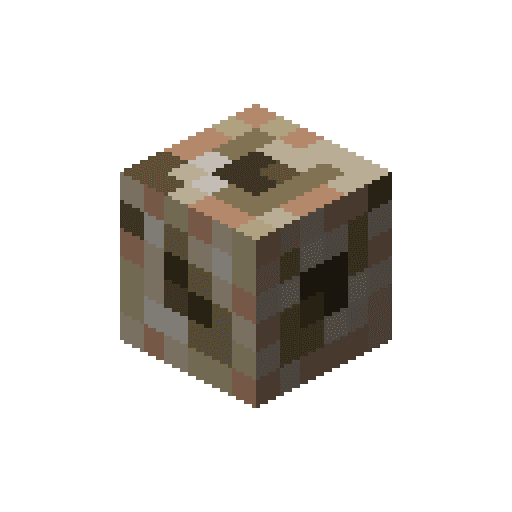
The Smithing Table exactly as it looks in the Minecraft 26.3 inventory, as a transparent PNG. It is the render of the item itself, not a loose texture: what you see in your hand and in chests. In the creative inventory it sits in the “Functional” tab.
 See every Minecraft icon
Sizes and quality
The Smithing Table render is 128 × 128 pixels, the size the game draws the item at in the inventory. It scales up by whole numbers to 1024 px with no interpolation, so the edges stay sharp.
Open in the icon editor
In the full tool you can add a shadow or shine, animate it as a video or use it for a tiled background, alongside the game’s 1,700+ items.
Open in the icon editorSmithing table in Minecraft: netherite and trims
The smithing table is where smithing templates are applied. It has three slots: the template on the left, the tool or armour piece in the middle and the material on the right. It costs no experience and keeps everything about the item: used durability, enchantments and name.
Its main job is upgrading diamond gear to netherite. You need the netherite upgrade template, the diamond piece and a netherite ingot, and out comes the netherite version with the same enchantments, so nothing you earned is lost.
The other use is trims. With a trim template and a material, any armour piece, turtle shells included, gets a pattern whose colour depends on the material. On the right of the interface an armour stand previews the result before you commit.
It is also the toolsmith's job site block, found in their village houses and in trail ruins. It breaks by hand, though an axe is faster. As with the crafting table, the tools drawn on its sides do not exist in the game.
Sources: minecraft.wiki/Smithing Table
How to get Smithing Table
Crafted on the crafting table in this shape:
Mined with an axe.
Recipe and drops taken from the Minecraft 26.3 data pack.
Other icons people look for

Minecraft 26.3 textures. Minecraft is a trademark of Mojang Studios; CreativeStar is not affiliated with it and the textures are theirs.